
Revision Log
Every update to Drawli gets logged here, from small fixes to major new features. Think of it as a running record of how the platform's evolving, the same way we track revisions on your documents, so you always know what's changed and when. Check back regularly, or bookmark this page to stay on top of what's new.
A drawing comes in from the architect titled PROPOSED LOWER GROUND FLOOR ELECTRICAL LAYOUT. Drawli picks it up and files it exactly as written. It’s correct, but it sits in your document list shouting at everyone, and you’re the one who has to retype it.
Most of this update is about little jobs like that. None of them take long on their own, but you do them dozens of times a week.
Format titles in one click
When you add or edit a document, there’s a new Aa button next to the Document Title field. Click it and choose Sentence case, Capitalise Each Word, lowercase or UPPERCASE. The title changes straight away, with no retyping and no risk of a typo creeping into a drawing name.

Open a company’s projects from the sidebar
In the Companies tab, a company’s sidebar now lists the projects they’re linked to. Click one to go straight there. If you’re checking who LDB Construction are working with, you can get from the company to the job without searching for it.
A filter view that stays out of the way
Some of you told us the old filter banner took up too much room. We’ve replaced it with a short line of text on the right-hand side. It tells you a filter is on and how many documents you’re seeing, for example “Showing 26 of 81 documents”. If you want everything back, a Clear All Filters link sits right next to it.

Other tweaks
We’ve also made improvements to the scale tool and the project information window. You can now turn off the “New” badge on recently added documents if you’d rather not see it.
This update covers measuring areas, adding people to projects and smarter upload emails, plus some AI improvements. Here's what's changed.
Measure areas, not just lines
The scale tool in the Document Viewer can now measure areas as well as lines, so you're no longer limited to straight measurements when you need to work out square footage or floor area.

Adding people to a project, reworked
We've reworked how team members and guests are added to a project, across both the New Project stepper and the Add People to Project window. Team members are now kept separate from guests, making it much clearer who's who when you're setting up access.
Smarter upload email notifications
Emails letting you know new files have been uploaded now list out each individual file. Each one's clickable too, taking you straight to the drawing instead of just the project.
AI improvements
A number of improvements to the AI functionality and its interface, making it a smoother experience all round.
That's it for this update. As always, if something feels off or you've got an idea for what's next, let us know.
This update's about staying in the loop and moving things around more easily, plus some work under the bonnet to keep things running smoothly. Here's what's changed.
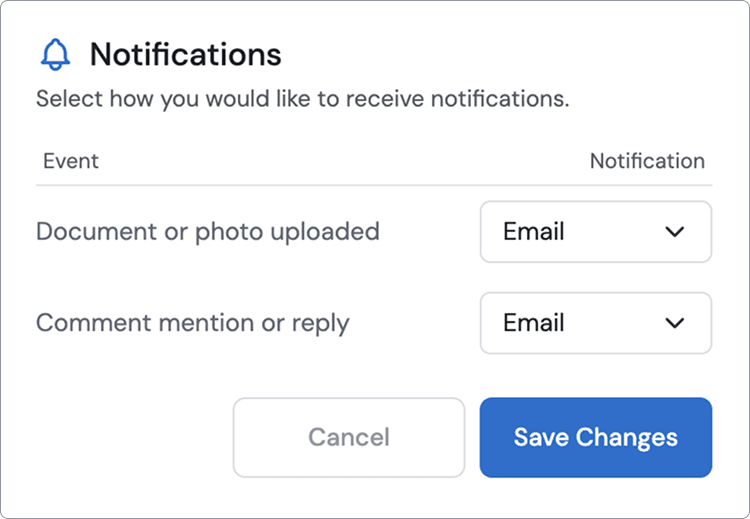
Notifications
You can now configure and receive notifications when a new drawing's uploaded to a project, or when you're mentioned or replied to in a message. Stay on top of what matters without having to go looking for it.
Reorganise locations on the fly
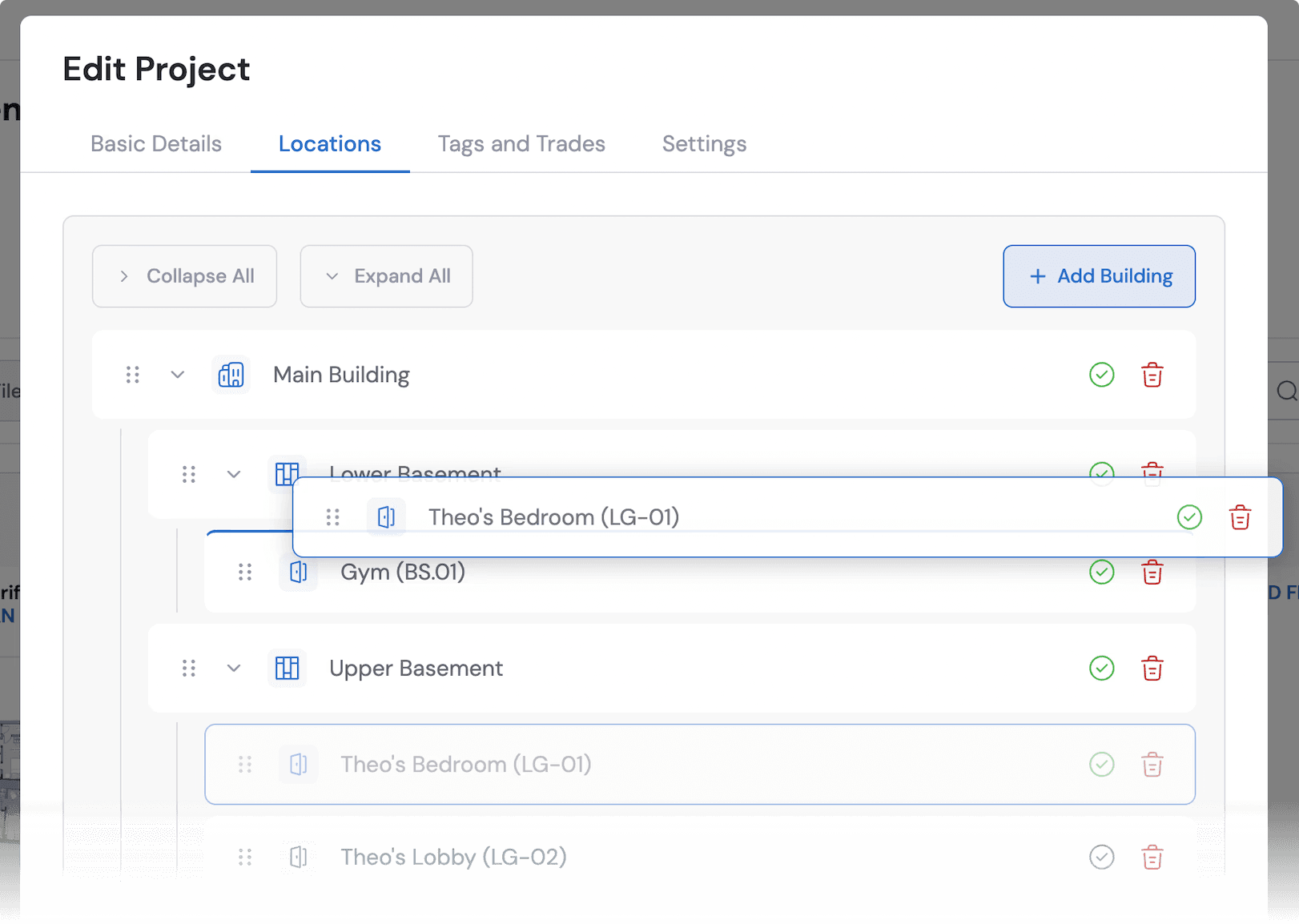
Locations can now be dragged and dropped onto a different parent node. Need to move a room to a different floor, or a floor to a different building? Just drag it across, no need to delete and recreate. The room's documents move with it.
Under the hood
We've made a number of performance improvements behind the scenes, including a fix for an issue that could cause the browser to crash after long periods of use.
Faster tile loading
We've also changed the way tiles render and load, so things should feel noticeably quicker across the platform.
That's it for this update. As always, if something feels off or you've got an idea for what's next, let us know.
A smaller update this time, focused entirely on the Document Viewer. Here's what's changed.
Scale tool
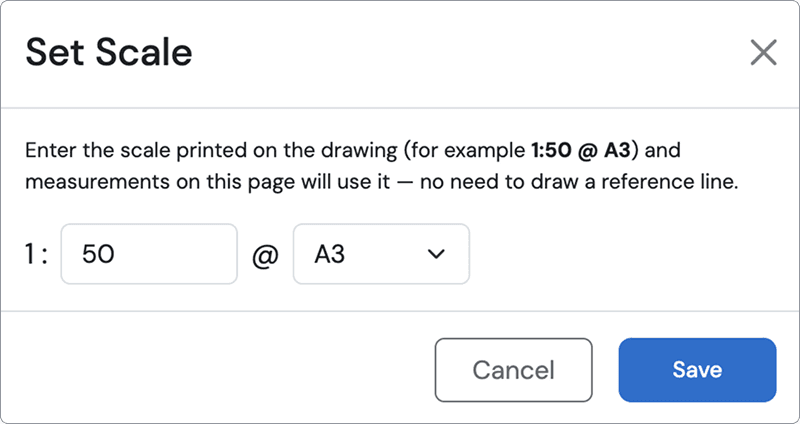
The scale tool now has a second way to set your scale, straight from the specified scale in the document's title block. That's on top of setting it from a reference measurement, whichever's quickest for the drawing in front of you.
Full screen mode
Full screen mode has had a round of improvements, making it a smoother, more reliable way to focus on a document without distractions.
Performance
We've made general performance improvements across the markup, search, comment and link tools, so the Document Viewer should feel noticeably snappier day to day.
Keyboard navigation
You can now use the up and down cursor keys to page through multi-page documents, no more reaching for the mouse every time you need to move on.
Drawing number in the title bar
The drawing number now shows in the title bar, so you always know exactly which document you're looking at, no need to open the details panel to check.
That's it for this update. As always, if something feels off or you've got an idea for what's next, let us know.
Our first beta release is here, codenamed Harrington. It's a mix of behind-the-scenes improvements and new features shaped directly by early feedback. Here's what's changed.
Under the hood
Harrington brings a round of backend stability improvements, making Drawli noticeably more responsive across the platform. Pages load faster, actions feel snappier, and the whole experience should feel smoother day to day.
Document Viewer upgrades
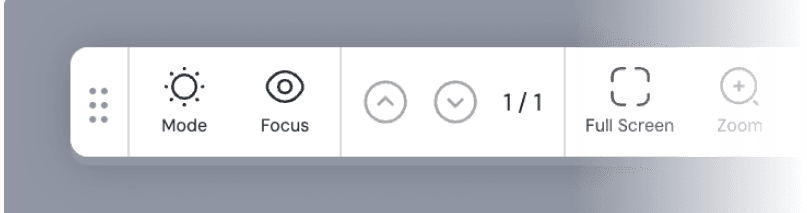
The toolbar in the Document Viewer has had a proper upgrade this release.
Focus mode A new focus mode clears all markups, comments and links from the document, giving you a clean, uninterrupted view when you just need to see the drawing itself.
Page controls, relocated Based on user feedback, we've moved the page controls from the top-left toolbar down to the floating toolbar, keeping the tools you use most within easy reach.
Project Explorer
We've also added a Clear all filters ribbon to the main Project Explorer view, so you can reset your filters in one click instead of undoing them one by one.
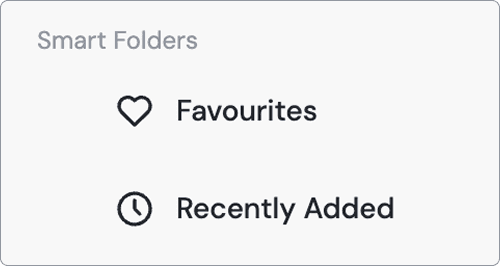
There's a new smart folder too, Recently Added, which filters your documents down to just the ones added most recently, handy for quickly checking what's new on a project without digging through everything else.
And at the top-tier location level, you can now expand all or collapse all in one click, instead of opening or closing each location one by one.